

Why You Need an Employee Attendance Management Software Demo

Imagine trying to buy a car without a test drive—it sounds risky, right? The same logic applies when choosing an employee attendance management software demo. Businesses today are increasingly dependent on automation, and attendance tracking is one of those areas where accuracy directly affects payroll, productivity, and compliance. Without actually experiencing how the system works, you’re essentially making a blind investment.
An employee attendance management software demo allows you to explore the system’s interface, understand its usability, and determine whether it aligns with your operational needs. Instead of relying solely on sales pitches or brochures, you get hands-on exposure. This is crucial because every organization has unique workflows, and what works for one company might not suit another.
When you test a system through a demo, you begin to see how it handles real-world scenarios—late logins, shift changes, overtime calculations, and even remote attendance tracking. It’s not just about features; it’s about how those features perform under actual working conditions. That’s where a demo becomes invaluable.
Companies that skip this step often end up facing integration issues or user resistance after implementation. On the other hand, businesses that invest time in testing through a demo experience smoother adoption and better ROI. It’s like having a sneak peek into the future of your HR operations.
Understanding the Value of a Free Demo Attendance Management System
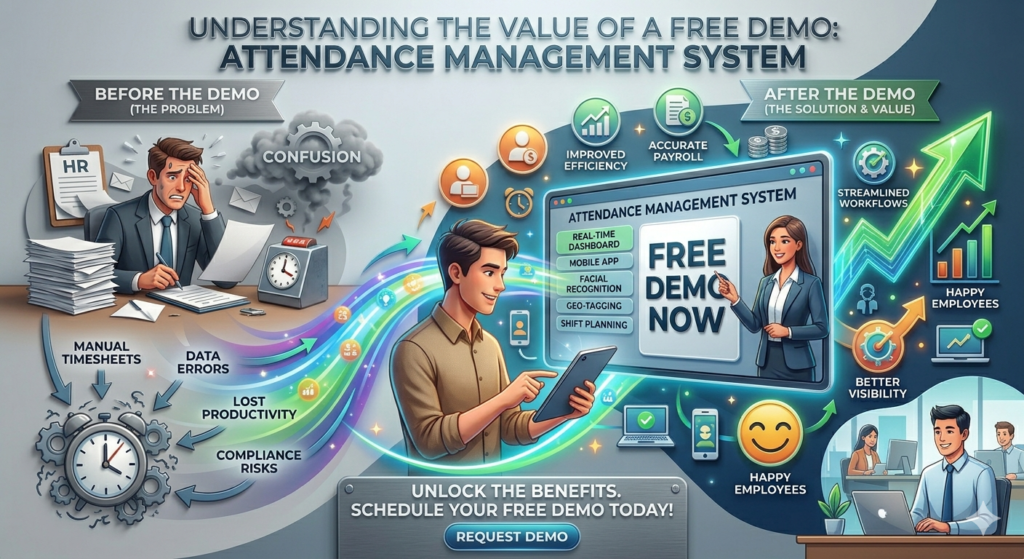
A free demo attendance management system is more than just a marketing tool—it’s a decision-making asset. When software providers offer free demos, they are essentially saying, “Test it before you trust it.” And that’s a powerful statement in a market flooded with countless HR tech solutions.
One of the biggest advantages of a free demo attendance management system is cost efficiency. Instead of committing financially upfront, businesses can evaluate multiple platforms and compare their features without spending a dime. This flexibility allows HR teams to make informed decisions based on actual performance rather than assumptions.
Another critical aspect is usability. Let’s be honest—no matter how advanced a system is, if it’s not user-friendly, it won’t be adopted effectively. During the demo phase, employees and HR managers can interact with the system, identify potential challenges, and provide feedback. This ensures that the final choice aligns with the team’s comfort level.
Statistics show that over 70% of software implementations fail due to poor user adoption, not because of technical limitations. A demo helps eliminate that risk by familiarizing users with the interface beforehand. It bridges the gap between expectation and reality.
Additionally, a demo often includes guidance from experts who walk you through the platform. This not only helps you understand features but also uncovers hidden capabilities you might otherwise overlook. It’s like having a guided tour instead of wandering aimlessly.
How Demo Access Reduces Risk Before Purchase
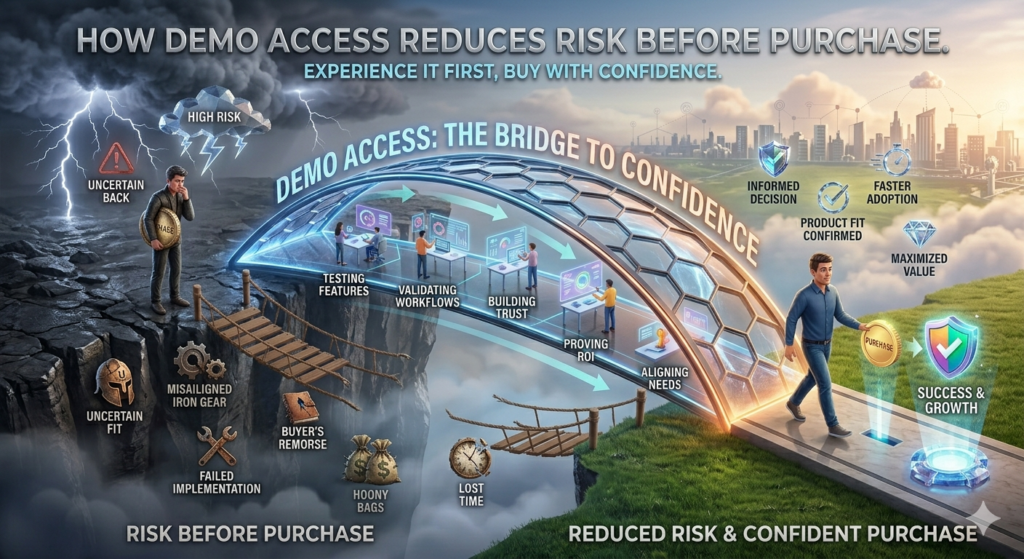
Risk is an unavoidable part of any business decision, but it can be minimized significantly with the right approach. A free demo attendance management system acts as a safety net, allowing you to evaluate the software before making a financial commitment.
One of the biggest risks businesses face is investing in software that doesn’t integrate well with existing systems. During a demo, you can assess compatibility with payroll software, HRMS platforms, and even third-party tools. This ensures a seamless workflow and prevents costly disruptions later.
Another common concern is scalability. Will the system still perform efficiently as your team grows? A demo helps answer this question by showcasing how the software handles increased data and user load. It gives you confidence that your investment will remain valuable in the long run.
There’s also the issue of compliance. Attendance management systems must adhere to labor laws and regulations, which vary by region. During the demo, you can verify whether the software supports compliance features such as audit trails, reporting, and policy enforcement.
Think of it as a rehearsal before the main performance. You get to identify flaws, test scenarios, and refine your approach without facing real consequences. This proactive strategy not only saves money but also ensures a smoother implementation process.
Book Attendance Software Demo to Experience Real-Time Tracking
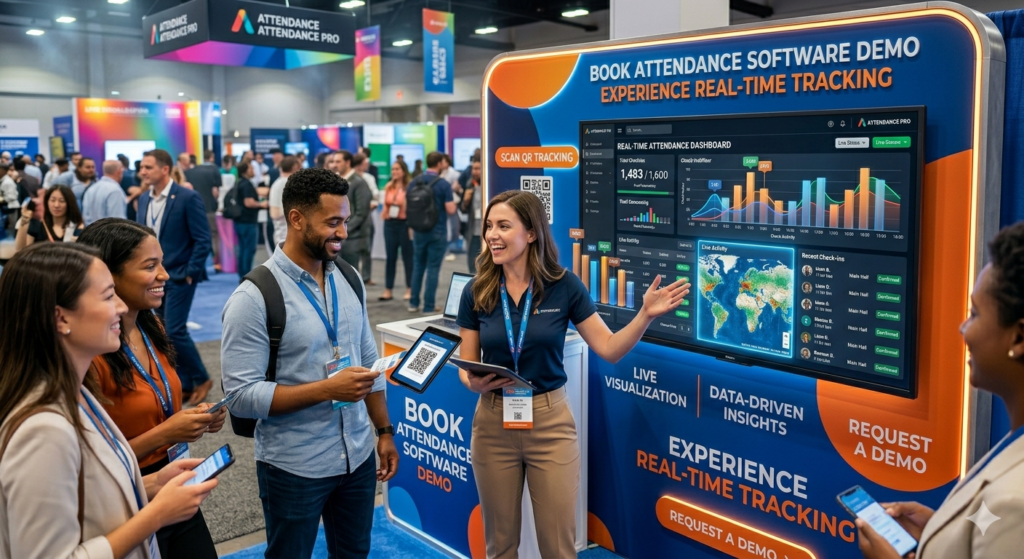
If you’ve ever struggled with outdated spreadsheets or manual attendance logs, you already know how messy things can get. That’s exactly why businesses are shifting toward smarter systems—and the first step is to book attendance software demo sessions to see how everything works in real time. It’s not just about watching a presentation; it’s about experiencing how attendance tracking becomes effortless.
When you book attendance software demo, you get a front-row seat to real-time tracking capabilities. You can see how employees clock in and out, how data updates instantly, and how managers can monitor attendance without chasing reports. It’s like upgrading from a basic watch to a smartwatch—you suddenly have access to insights you didn’t even realize you needed.
One of the most compelling aspects of booking a demo is witnessing automation in action. Instead of manually calculating hours, the system does it for you. Overtime, late entries, and shift patterns are automatically recorded and processed. This eliminates human error and saves countless hours of administrative work.
Another advantage is customization. During the demo, you can explore how the system adapts to your specific business needs. Whether you run a small startup or a large enterprise, the software can be tailored to match your workflows. This flexibility is something you can truly appreciate only when you see it live.
Booking a demo also allows you to ask questions in real time. You’re not just observing—you’re interacting. This helps you gain clarity on features, pricing, and implementation processes, making your decision much more confident and informed.
What to Expect from an Employee Attendance Tracking Demo
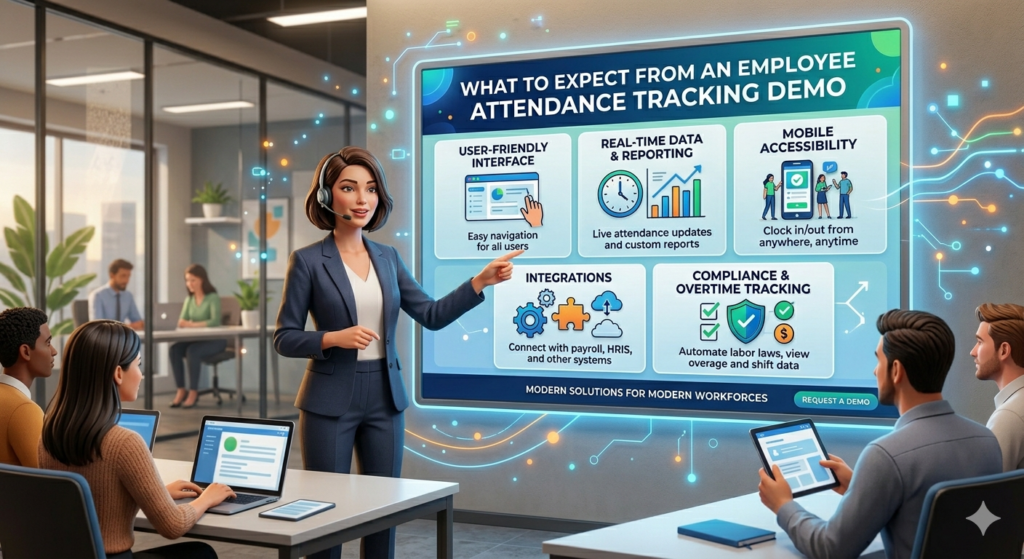
Walking into an employee attendance tracking demo without knowing what to expect can feel a bit overwhelming. But once you understand what’s typically included, it becomes an exciting opportunity to explore how technology can simplify your HR processes.
First, you’ll be introduced to the dashboard—the heart of the system. This is where all attendance data is displayed in a clear, organized manner. You’ll see how easily managers can access reports, monitor employee activity, and identify patterns such as absenteeism or punctuality trends. It’s like having a control center for your workforce.
Another key element of an employee attendance tracking demo is the demonstration of clock-in methods. Whether it’s mobile apps, web portals, or biometric devices, you’ll get to see how employees interact with the system. This is crucial because ease of use directly impacts adoption rates.
You’ll also explore reporting features. The software typically offers detailed analytics, allowing you to generate reports on attendance, leaves, and working hours. These insights are invaluable for making data-driven decisions. Imagine being able to identify productivity gaps with just a few clicks—that’s the power of modern attendance systems.
Integration is another highlight. During the demo, you’ll see how the attendance system connects with payroll and HR software. This ensures that data flows seamlessly across different departments, reducing duplication and errors.
Ultimately, the demo gives you a complete picture of how the system operates, helping you determine whether it’s the right fit for your organization.
Key Features You Can Test in a Demo
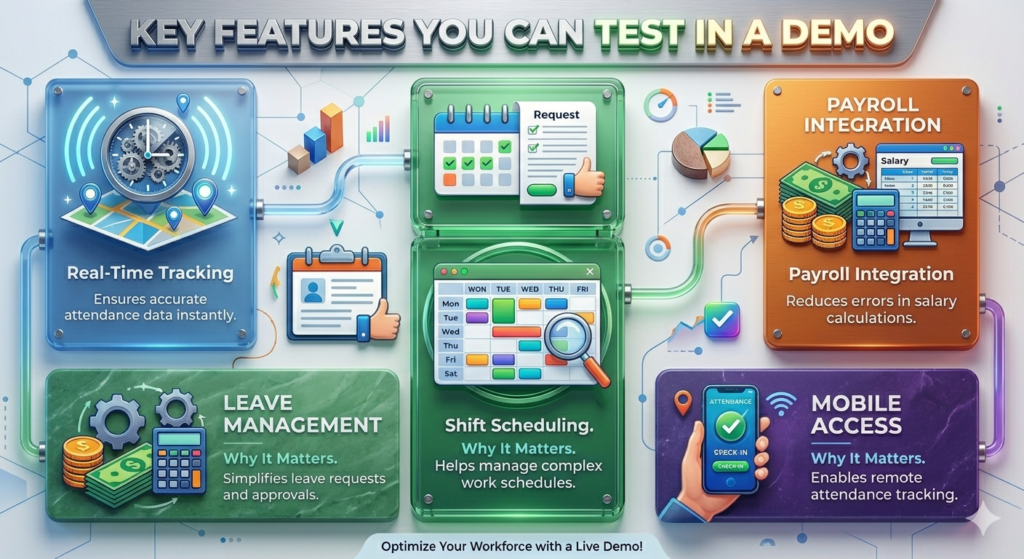
When you participate in an employee attendance tracking demo, it’s not just about watching—it’s about testing. This is your chance to explore the features that will directly impact your daily operations.
Here are some essential features you should focus on during the demo:
| Feature | Why It Matters |
| Real-Time Tracking | Ensures accurate attendance data instantly |
| Leave Management | Simplifies leave requests and approvals |
| Shift Scheduling | Helps manage complex work schedules |
| Payroll Integration | Reduces errors in salary calculations |
| Mobile Access | Enables remote attendance tracking |
Beyond these basics, pay attention to how intuitive the system feels. Can you navigate it بسهولة? Does it require extensive training, or is it user-friendly from the start? These small details make a big difference in the long run.
Another feature worth testing is notifications. Many systems offer alerts for late arrivals, missed check-ins, or policy violations. This proactive approach helps managers address issues before they escalate.
Security is also a critical factor. During the demo, ask about data protection measures. With sensitive employee information involved, the system must comply with security standards and regulations.
Think of the demo as a sandbox environment where you can experiment freely. The more you explore, the better you understand how the software can transform your attendance management process.
Request Attendance System Demo for Better Workforce Control
Taking the step to request attendance system demo is like opening the door to better workforce control. Without proper attendance tracking, managing employees can feel like trying to steer a ship without a compass. A demo gives you the clarity you need to navigate effectively.
When you request attendance system demo, you gain insights into how the software helps monitor employee behavior. You can track attendance patterns, identify frequent absences, and even analyze productivity trends. This level of visibility empowers managers to make informed decisions.
Another benefit is improved accountability. When employees know their attendance is being tracked accurately, they are more likely to follow company policies. This creates a culture of discipline and responsibility, which ultimately boosts overall performance.
The demo also highlights automation capabilities. From attendance logging to report generation, everything is streamlined. This reduces the burden on HR teams, allowing them to focus on strategic tasks rather than administrative work.
Additionally, requesting a demo gives you the opportunity to evaluate customer support. You can interact with the provider’s team, assess their responsiveness, and understand the level of assistance you can expect after implementation.
In essence, a demo is not just about the software—it’s about the entire experience. It helps you determine whether the solution aligns with your business goals and operational needs.
Benefits of Attendance Management Software Free Trial
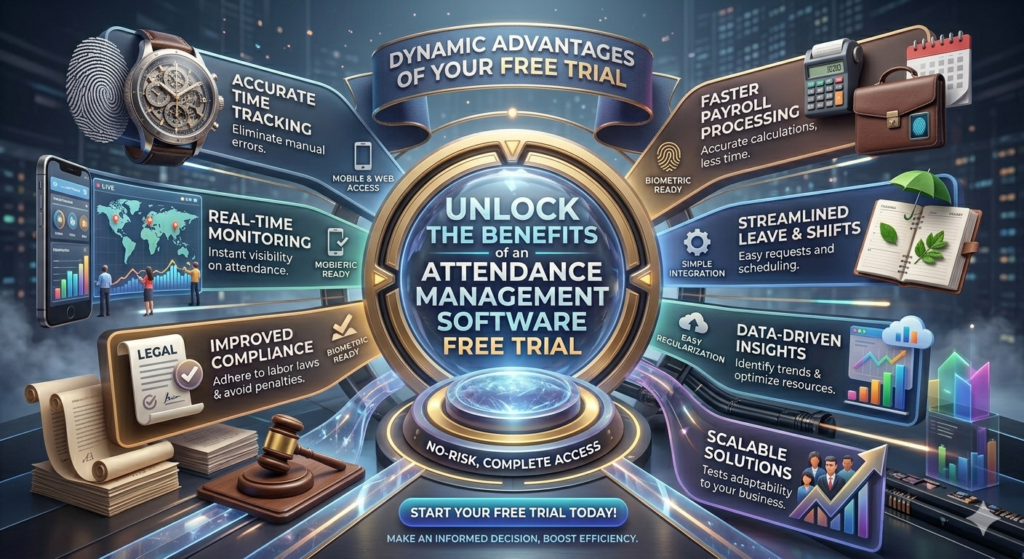
An attendance management software free trial takes things a step further by giving you extended access to the system. Unlike a demo, which is usually guided, a free trial allows you to explore the software independently.
One of the biggest advantages of a free trial is hands-on experience. You can use the system in your actual work environment, testing it with real data and scenarios. This provides a deeper understanding of its capabilities and limitations.
Another benefit is team involvement. During the trial period, multiple users can interact with the system and provide feedback. This ensures that the final decision is not based on a single perspective but reflects the needs of the entire organization.
A free trial also helps you evaluate performance over time. You can monitor how the system handles daily operations, peak workloads, and unexpected challenges. This long-term perspective is something a short demo cannot provide.
Cost-effectiveness is another key factor. By trying the software before purchasing, you reduce the risk of investing in a solution that doesn’t meet your expectations. It’s a practical approach that saves both time and money.
Ultimately, a free trial bridges the gap between evaluation and implementation, giving you the confidence to make the right choice.
How Trials Help Businesses Scale Efficiently
Scaling a business comes with its own set of challenges, and attendance management is often one of them. An attendance management software free trial plays a crucial role in ensuring that your systems can grow alongside your organization.
During the trial period, you can test the software’s scalability. Can it handle an increasing number of employees? Does it maintain performance as data volume grows? These are critical questions that a trial can answer.
Another aspect is flexibility. As your business expands, your requirements may change. A good attendance system should adapt to new workflows, policies, and structures. The trial phase allows you to explore these possibilities without committing upfront.
Efficiency is also a major factor. By automating attendance tracking, businesses can reduce administrative workload and focus on growth initiatives. This streamlined approach is essential for scaling successfully.
Additionally, trials provide valuable insights into user adoption. You can observe how employees interact with the system and identify any challenges. This helps you address issues early, ensuring a smooth transition when the software is fully implemented.
Scaling is not just about growth—it’s about sustainable growth. And a well-tested attendance management system is a key component of that journey.
Online Attendance System Demo Booking Made Easy
Booking a demo shouldn’t feel like solving a puzzle, yet many businesses hesitate simply because they assume the process is complicated. In reality, online attendance system demo booking is designed to be quick, intuitive, and surprisingly flexible. The goal is simple: get you from curiosity to clarity without unnecessary friction.
When you explore online attendance system demo booking, you’ll notice how streamlined the process has become. Most providers, including H.R. Software Solutions, offer simple forms where you just enter basic details like your name, company size, and preferred time slot. Within minutes, your request is confirmed, and you’re on your way to exploring a system that could completely reshape how you manage attendance.
What makes online booking especially powerful is convenience. You don’t have to deal with back-and-forth emails or long waiting periods. Everything is automated, allowing you to schedule a demo at a time that works best for you. It’s like booking a movie ticket—you pick your slot, confirm, and you’re done.
Another advantage is flexibility. Whether you want a one-on-one guided demo or a group session for your HR team, online booking systems accommodate different preferences. This ensures that everyone involved in decision-making gets the exposure they need.
The ease of booking also reflects the software’s overall philosophy—simplicity and efficiency. If the demo booking process is smooth, it’s often a good indicator that the software itself is user-friendly. And that’s exactly what businesses need: solutions that save time, not add complexity.
Steps to Book Attendance Software Demo Seamlessly
If you’re wondering how to book attendance software demo without any confusion, the process is refreshingly straightforward. Still, understanding the steps can help you make the most of your experience and avoid unnecessary delays.
Here’s a simple breakdown of how it typically works:
- Visit the provider’s website and locate the demo booking section.
- Fill out a short form with your business details and requirements.
- Choose a convenient date and time for the demo session.
- Confirm your booking and check your email for confirmation details.
- Join the demo session via the provided link or platform.
While these steps look simple, the real value lies in preparation. Before you book attendance software demo, take a moment to identify your key requirements. Are you looking for biometric integration? Do you need multi-location tracking? Having clarity on your needs ensures that the demo is tailored to your expectations.
Another important tip is to involve your team. Attendance management affects multiple departments, so having HR, payroll, and operations representatives in the demo session can provide diverse perspectives. This collaborative approach leads to better decision-making.
During the demo, don’t hesitate to ask questions. Treat it as a conversation rather than a presentation. The more engaged you are, the more insights you’ll gain.
Common Mistakes to Avoid During Demo Booking
Even though online attendance system demo booking is simple, businesses often make avoidable mistakes that limit the value they get from the experience. Recognizing these pitfalls can help you make a smarter, more informed choice.
One common mistake is booking a demo without clear objectives. If you don’t know what you’re looking for, it’s easy to get overwhelmed by features and miss what truly matters. Before scheduling, define your priorities—whether it’s automation, reporting, or integration.
Another issue is involving too few stakeholders. Attendance management impacts multiple teams, so excluding key decision-makers can lead to misalignment later. Make sure everyone who will use or manage the system has a chance to participate.
Timing is another factor that’s often overlooked. Booking a demo during a busy period can result in distractions and reduced focus. Choose a time when you and your team can fully engage without interruptions.
Some businesses also fail to test the system thoroughly during the demo. Instead of passively watching, interact with the software, ask for live demonstrations, and request specific use cases. This hands-on approach provides a clearer picture of how the system performs.
Avoiding these mistakes ensures that your demo experience is not just informative but truly transformative.
Biometric Attendance Software Demo for Accuracy
Accuracy is the backbone of any attendance system, and that’s where a biometric attendance software demo truly shines. Unlike traditional methods, biometric systems rely on unique identifiers such as fingerprints or facial recognition, making them virtually foolproof.
When you experience a biometric attendance software demo, the first thing you’ll notice is how seamless the process is. Employees simply scan their fingerprint or face, and the system records their attendance instantly. There’s no room for buddy punching or manual errors—it’s all automated and precise.
This level of accuracy has a direct impact on payroll and compliance. Incorrect attendance data can lead to salary disputes and legal issues, but biometric systems eliminate these risks. During the demo, you’ll see how every entry is securely recorded and easily accessible for audits.
Another interesting aspect is speed. Biometric systems process data in seconds, even for large teams. This reduces queues and ensures a smooth workflow, especially in organizations with high employee volumes.
The demo also highlights integration capabilities. Biometric devices can be connected to cloud-based systems, allowing real-time data synchronization. This means managers can monitor attendance from anywhere, adding an extra layer of convenience.
How Biometric Systems Improve Attendance Tracking
A biometric attendance software demo doesn’t just show you a feature—it reveals a completely different approach to attendance tracking. Instead of relying on trust-based systems, biometric technology introduces a level of precision that’s hard to match.
One of the biggest improvements is eliminating time theft. Traditional systems often allow employees to clock in for each other, but biometric authentication makes this impossible. Each entry is tied to a unique individual, ensuring authenticity.
Another benefit is enhanced security. Biometric data is encrypted and stored securely, reducing the risk of manipulation. During the demo, you’ll see how the system safeguards sensitive information while maintaining accessibility.
Efficiency is also significantly improved. With automated tracking, HR teams no longer need to spend hours verifying attendance records. The system does it all in real time, freeing up resources for more strategic tasks.
Additionally, biometric systems provide detailed insights. You can analyze attendance patterns, identify trends, and make data-driven decisions. It’s like having a microscope for your workforce—everything becomes clearer and more actionable.
Real-World Applications of Biometric Attendance Systems
Seeing a biometric attendance software demo is one thing, but understanding its real-world impact takes it to another level. These systems are used across various industries, each benefiting in unique ways.
In manufacturing, biometric systems help manage large workforces with multiple shifts. Accuracy and speed are critical in such environments, and biometric tracking ensures smooth operations. In healthcare, where timing can be a matter of life and death, precise attendance tracking ensures that staff availability is always monitored.
Retail businesses also benefit significantly. With high employee turnover and varying schedules, biometric systems provide a reliable way to track attendance without confusion. During the demo, you’ll see how these applications translate into practical solutions.
Corporate offices use biometric systems to enhance security and streamline HR processes. The ability to integrate with other software makes it a versatile tool for modern workplaces.
These real-world examples highlight the versatility and effectiveness of biometric attendance systems, making them a valuable investment for businesses of all sizes.
Cloud Attendance Management Demo for Modern Businesses
The workplace isn’t what it used to be. Teams are remote, hybrid, distributed across cities—or even continents. In this evolving landscape, a cloud attendance management demo becomes more than just a product walkthrough; it’s a glimpse into how modern businesses actually function. If traditional systems feel like filing cabinets, cloud solutions feel like having your entire office in your pocket.
When you explore a cloud attendance management demo, the first thing that stands out is accessibility. Managers can log in from anywhere, whether they’re traveling, working from home, or managing multiple branches. Attendance data is updated in real time, which means decisions are based on what’s happening now—not yesterday’s reports.
Another compelling factor is scalability. As your business grows, a cloud-based system grows with you. You don’t need to worry about installing new hardware or upgrading infrastructure. Everything is handled seamlessly in the background, allowing you to focus on operations rather than IT headaches.
During the demo, you’ll also notice how collaboration improves. HR teams, managers, and employees all interact within the same ecosystem. Leave requests, attendance logs, and approvals flow smoothly without endless email chains. It’s like replacing a maze of communication with a straight, open highway.
The cloud also enables automatic updates. Instead of manually upgrading software, you always have access to the latest features and security patches. This ensures your system remains efficient and compliant without extra effort.
Advantages of Cloud-Based Attendance Systems
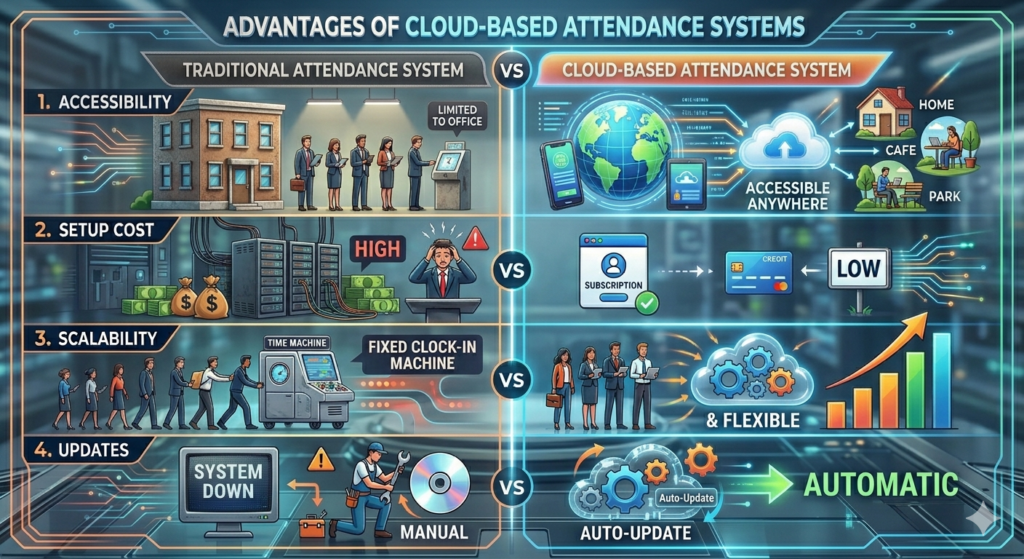
A cloud attendance management demo reveals advantages that go far beyond convenience. These systems fundamentally change how attendance is tracked, managed, and utilized for decision-making.
One of the biggest advantages is cost efficiency. Unlike traditional systems that require expensive hardware and maintenance, cloud solutions operate on a subscription model. This reduces upfront investment and makes advanced technology accessible even to small and medium-sized businesses.
Flexibility is another major benefit. Employees can mark attendance through mobile apps, web portals, or integrated devices. This is especially useful for remote teams and field workers who don’t operate from a fixed location. During the demo, you’ll see how effortlessly the system adapts to different work environments.
Data accuracy also improves significantly. Since everything is automated and synchronized in real time, the chances of errors are minimal. This ensures that payroll calculations and compliance reports are always accurate.
Here’s a quick comparison to highlight the difference:
| Feature | Traditional System | Cloud-Based System |
| Accessibility | Limited to office | Accessible anywhere |
| Setup Cost | High | Low |
| Scalability | Difficult | आसान and flexible |
| Updates | Manual | Automatic |
Another overlooked advantage is disaster recovery. Cloud systems store data securely, ensuring that even in the event of hardware failure, your information remains safe and accessible.
Security and Accessibility in Cloud Solutions
Security often comes up as a concern when discussing cloud systems, and rightly so. But a cloud attendance management demo quickly shows that modern solutions are built with robust security frameworks that often surpass traditional setups.
Data encryption is one of the key features. All attendance records are encrypted during transmission and storage, ensuring that sensitive information remains protected. During the demo, you’ll see how access controls are implemented, allowing only authorized users to view or modify data.
Another important aspect is role-based access. Not everyone in the organization needs the same level of access, and cloud systems handle this efficiently. Managers can view team data, HR can access full reports, and employees can check their own attendance—all within a secure environment.
Accessibility, on the other hand, is where cloud solutions truly shine. Imagine being able to approve leave requests while sitting in a café or reviewing attendance reports during a business trip. The system is always within reach, making management more responsive and efficient.
Regular backups add another layer of reliability. Your data is stored across multiple servers, reducing the risk of loss. This level of redundancy ensures business continuity, even in unexpected situations.
Workforce Attendance System Demo for Team Productivity
Productivity isn’t just about working harder—it’s about working smarter. A workforce attendance system demo shows how tracking attendance can directly influence team efficiency and overall performance.
When you explore a workforce attendance system demo, you begin to see patterns that were previously hidden. Who arrives on time consistently? Which teams struggle with punctuality? These insights allow managers to address issues proactively rather than reactively.
Another key benefit is transparency. Employees can view their own attendance records, reducing disputes and building trust. When everyone has access to the same data, it creates a sense of fairness and accountability.
The demo also highlights automation. Tasks that once took hours—like compiling attendance reports—are completed in seconds. This frees up time for managers to focus on strategic initiatives rather than administrative work.
Productivity also improves through better scheduling. The system helps allocate shifts efficiently, ensuring that workloads are balanced and resources are utilized effectively. It’s like having a digital assistant that keeps everything running smoothly.
Staff Attendance Software Free Demo for SMEs
Small and medium-sized enterprises often operate with limited resources, which makes efficiency even more critical. A staff attendance software free demo provides SMEs with an opportunity to explore advanced tools without financial risk.
During a staff attendance software free demo, small business owners can see how automation simplifies daily operations. Instead of juggling spreadsheets and manual logs, everything is centralized in one system. This not only saves time but also reduces errors.
Affordability is another major advantage. Many providers offer scalable pricing योजनाएँ, allowing SMEs to pay only for what they need. The demo helps you understand these options and choose a plan that fits your budget.
Ease of use is particularly important for smaller teams that may not have dedicated IT support. The demo showcases user-friendly interfaces and simple workflows, ensuring that employees can adopt the system quickly.
Another benefit is growth readiness. Even if your team is small today, the software is designed to scale with your business. This means you won’t need to switch systems as you expand, saving both time and resources in the long run.
Enhancing Productivity Through Smart Tracking
A staff attendance software free demo isn’t just about tracking—it’s about transforming how work gets done. Smart tracking tools provide insights that help businesses optimize performance and improve efficiency.
One of the most powerful features is analytics. The system collects data on attendance patterns, allowing you to identify trends and make informed decisions. For example, if certain shifts consistently show lower productivity, adjustments can be made.
Another aspect is real-time monitoring. Managers can see who is present, who is late, and who is on leave—all at a glance. This immediate visibility enables quick decision-making and reduces delays.
Automation also plays a crucial role. From attendance logging to report generation, everything is streamlined. This eliminates repetitive tasks and allows employees to focus on meaningful work.
Smart tracking also encourages accountability. When employees know their attendance is being monitored accurately, they are more likely to adhere to schedules. This creates a disciplined work environment that fosters productivity.
The result? A workplace that runs like a well-oiled machine, where every minute is accounted for and utilized effectively.
Attendance Tracking System Trial for Performance Insights
If there’s one thing businesses often underestimate, it’s the hidden story inside attendance data. An attendance tracking system trial doesn’t just show you who clocked in or out—it reveals patterns, behaviors, and productivity signals that are otherwise easy to miss. Think of it like switching from a blurry lens to high-definition clarity.
When you begin an attendance tracking system trial, you start noticing trends almost immediately. Maybe Mondays have higher absenteeism, or perhaps certain teams consistently log overtime. These aren’t just numbers—they’re insights that can influence scheduling, workload distribution, and even employee satisfaction strategies.
Another major advantage is the ability to test reporting depth. During the trial, you can generate customized reports that highlight exactly what matters to your organization. Whether it’s daily attendance summaries or monthly performance breakdowns, the system puts control in your hands.
What makes trials especially valuable is real-world exposure. You’re not looking at sample data—you’re working with your own. This makes the insights far more relevant and actionable. It’s like test-driving a car on your daily commute instead of a closed track.
The trial period also allows you to evaluate system responsiveness. Does it handle peak usage smoothly? Are reports generated quickly? These performance factors are critical when choosing a long-term solution.
By the end of the trial, you’re not guessing anymore. You have concrete data, firsthand experience, and a clear understanding of how the system impacts your operations.
HR Attendance Software Demo Request Explained
Submitting an HR attendance software demo request might seem like a small step, but it’s actually the gateway to transforming your HR operations. This process connects you directly with experts who understand the nuances of attendance management and can guide you toward the right solution.
When you place an HR attendance software demo request, the experience is usually tailored to your business needs. Instead of a generic walkthrough, you get a personalized session that focuses on your specific challenges—whether it’s managing remote teams, handling shift rotations, or integrating payroll systems.
One of the biggest advantages is expert guidance. During the demo, professionals walk you through the platform, explaining features in a way that’s easy to understand. They also answer questions in real time, helping you clarify doubts and explore possibilities you might not have considered.
Another key benefit is customization. The demo can be adjusted to reflect your workflows, giving you a realistic view of how the system will function in your environment. This eliminates surprises during implementation.
The request process itself is usually quick and hassle-free. Within a short time, you’re connected to a solution that could redefine how your HR team operates. It’s a simple action with significant impact.
What HR Teams Gain from Demo Access
An HR attendance software demo request isn’t just about evaluating software—it’s about empowering HR teams with tools that make their work more strategic and less repetitive. The benefits go far beyond attendance tracking.
First, HR professionals gain visibility. Instead of chasing data across multiple sources, everything is centralized in one platform. This makes it easier to monitor attendance, manage leave requests, and generate reports.
Second, there’s a significant reduction in manual work. Tasks that once required hours—like calculating working hours or preparing payroll inputs—are automated. This frees up time for HR teams to focus on employee engagement and organizational development.
Another important gain is accuracy. Human errors in attendance records can lead to payroll disputes and compliance issues. A reliable system minimizes these risks, ensuring that data is consistent and trustworthy.
The demo also helps HR teams understand how technology can enhance decision-making. With access to real-time data and analytics, they can identify trends, address issues proactively, and improve overall efficiency.
Ultimately, demo access transforms HR from a reactive function into a proactive one, enabling teams to contribute more effectively to business growth.
Time and Attendance Software Demo for Better Payroll Integration
Payroll and attendance are like two sides of the same coin—one cannot function accurately without the other. A time and attendance software demo shows how seamlessly these two processes can be integrated, eliminating errors and saving valuable time.
During a time and attendance software demo, you’ll see how attendance data flows directly into payroll systems. This means no more manual data entry, no more spreadsheets, and significantly fewer errors. It’s like connecting two puzzle pieces that were always meant to fit together.
One of the biggest advantages is accuracy in salary calculations. Overtime, late arrivals, and leave deductions are automatically factored in, ensuring that employees are paid correctly. This not only reduces disputes but also builds trust within the organization.
The demo also highlights compliance features. Payroll must adhere to labor laws and regulations, and integrated systems help ensure that all calculations meet legal requirements. This reduces the risk of penalties and audits.
Another benefit is efficiency. By automating the entire process, businesses can reduce payroll processing time significantly. What once took days can now be completed in hours—or even minutes.
Attendance Management Solution Demo for Business Growth
Growth isn’t just about increasing revenue—it’s about building systems that support expansion. An attendance management solution demo provides a clear picture of how the right tools can drive long-term success.
When you explore an attendance management solution demo, you begin to see how technology aligns with business goals. It’s not just about tracking attendance; it’s about improving efficiency, reducing costs, and enhancing productivity.
One of the most important aspects is scalability. As your business grows, your attendance system must keep up. The demo shows how the software adapts to increasing employee numbers, multiple locations, and evolving workflows.
Another key factor is data-driven decision-making. With access to detailed analytics, businesses can identify trends, optimize schedules, and improve resource allocation. This strategic approach leads to better outcomes and sustained growth.
The demo also emphasizes user experience. A system that is easy to use ensures higher adoption rates, which directly impacts its effectiveness. After all, even the most advanced software is useless if it’s not used properly.
In essence, an attendance management solution is more than a tool—it’s a foundation for growth. And the demo is your first step toward building that foundation.
Conclusion
Choosing the right attendance system isn’t something you want to rush. From employee attendance management software demo sessions to attendance management software free trial opportunities, every step in the evaluation process brings you closer to a smarter, more efficient workplace. H.R. Software Solutions makes this journey easier by offering flexible demos, hands-on trials, and expert guidance tailored to your business needs.
Whether you’re exploring a biometric attendance software demo, testing a cloud attendance management demo, or submitting an HR attendance software demo request, each experience adds a layer of clarity. You’re not just buying software—you’re investing in accuracy, productivity, and long-term growth.
The real advantage lies in experiencing the system before committing. Demos and trials remove uncertainty, allowing you to make confident decisions backed by real insights. And in today’s competitive business environment, that kind of confidence is invaluable.
FAQs
1. How can I book an employee attendance management software demo?
You can easily book a demo by visiting the provider’s website, filling out a simple form, and selecting a convenient time slot for your session.
2. What is included in a free demo attendance management system?
A free demo typically includes a walkthrough of key features, live demonstrations, and the opportunity to ask questions and explore the system’s capabilities.
3. Is an attendance management software free trial different from a demo?
Yes, a demo is usually a guided session, while a free trial allows you to use the software independently over a period of time.
4. Can biometric attendance software be integrated with payroll systems?
Absolutely. Most modern biometric systems integrate seamlessly with payroll software, ensuring accurate salary calculations.
5. Why should I request an attendance system demo before purchasing?
Requesting a demo helps you evaluate the software’s features, usability, and compatibility with your business needs, reducing the risk of making the wrong investment.
Leave a Reply